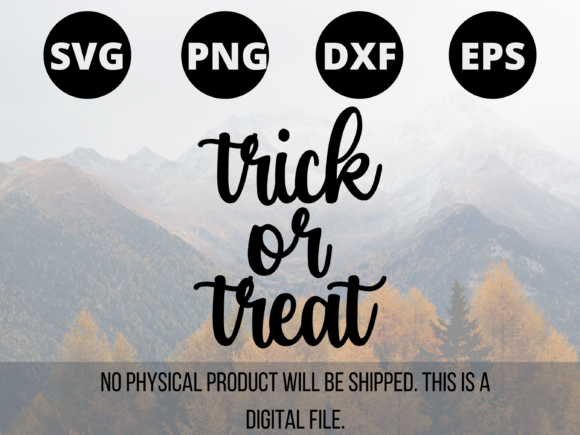
Mastering Halloween Digital Assets: A Guide to Trick or Treat SVG, PNG, DXF, and EPS Files
The autumn season brings with it a surge of creativity centered around Halloween, a holiday that has evolved from simple trick-or-treating into a massive cultural phenomenon involving elaborate decorations, custom apparel, and intricate crafts. For creators, business owners, and hobbyists alike, the demand for high-quality digital assets has never been higher. At the heart of this creative explosion are versatile file formats that allow designs to be scaled, cut, printed, and shared effortlessly. Understanding the nuances of files such as SVG, PNG, DXF, and EPS is essential for anyone looking to produce professional-grade Trick or Treat themed projects.
The Versatility of Vector Graphics in Seasonal Design
When discussing digital design for Halloween, the distinction between raster and vector graphics is paramount. Vector files, specifically SVG (Scalable Vector Graphics), DXF (Drawing Exchange Format), and EPS (Encapsulated PostScript), offer unparalleled flexibility. Unlike pixel-based images, vectors use mathematical equations to define shapes, meaning they can be resized infinitely without losing quality. This characteristic is crucial for Trick or Treat signage, where a design might need to be printed on a small sticker or blown up for a large yard banner.
The SVG file has become the industry standard for web design and modern cutting machines. Its compatibility with browsers and software like Cricut Design Space and Silhouette Studio makes it a favorite among crafters. An SVG version of a spooky pumpkin or a "Trick or Treat" typography layout ensures crisp edges regardless of the output size. Furthermore, SVGs are often layered, allowing users to separate elements for multi-color vinyl applications or intricate paper quilling projects.
For those working in professional printing or legacy CAD systems, the EPS file remains a robust choice. It is widely supported by Adobe Illustrator and CorelDRAW, making it ideal for screen printing t-shirts or creating large-format vinyl decals for storefronts. Similarly, the DXF file serves as a universal bridge between different software platforms, particularly useful for industrial cutting machines or older plotting devices that may not natively support SVG. Having access to all three vector formats ensures that a designer's work is accessible to the widest possible audience, from the home hobbyist to the commercial print shop.
Raster Images and the Role of PNG in Digital Media
While vectors dominate the cutting and printing world, raster images hold their ground in digital marketing and sublimation. The PNG file (Portable Network Graphics) is indispensable for online content due to its support for transparency. When creating social media graphics, website headers, or digital invitations for a Halloween party, a PNG allows the Trick or Treat artwork to sit seamlessly over any background color or pattern without a distracting white box.
High-resolution PNGs are also critical for sublimation printing, a popular method for decorating mugs, tumblers, and polyester fabrics. In this workflow, the image is printed onto transfer paper and then heat-pressed onto the substrate. Because sublimation relies on pixel density, a high-DPI PNG ensures that the fine details of a ghost illustration or the texture of a witch's hat remain sharp. For educators creating worksheets or researchers compiling visual data on holiday trends, PNGs provide an easy-to-insert format that maintains visual integrity across documents and presentations.
Practical Applications Across Industries
The utility of these file formats extends far beyond personal crafting. Business owners leverage Halloween assets to drive seasonal sales and brand engagement. A retail store might use an EPS file to produce window decals featuring playful Trick or Treat messages, while an e-commerce seller could utilize SVG and DXF files to create print-on-demand products like custom tote bags and iron-on transfers. The ability to offer a comprehensive package including SVG, PNG, DXF, and EPS files adds significant value to digital products, catering to customers with diverse technical needs.
In the educational sector, teachers utilize these assets to create engaging classroom environments. Cutting machines fed with SVG or DXF files can rapidly produce bulletin board borders, name tags, and activity props. The precision of vector cuts allows for complex shapes that would be time-consuming to create by hand. Meanwhile, PNG files are easily embedded into digital lesson plans and interactive whiteboard activities, helping to maintain student interest during the festive season.
Event planners and party organizers also benefit from this digital ecosystem. From custom cocktail napkins printed via PNG to large-scale venue decorations cut from EPS vectors, the consistency of branding is maintained across various mediums. The scalability of these files ensures that a logo or theme created for a small gathering can be adapted for a community-wide Halloween festival without the need for redesigning from scratch.
Technical Considerations for File Selection
Selecting the right file format depends heavily on the intended application and the tools available. For users operating electronic cutting machines, the SVG file is generally the most efficient choice due to its native layering capabilities and ease of manipulation within proprietary software. However, if a user is working with a machine that requires specific pathing instructions or is using older software, the DXF file becomes the necessary alternative. It is important to note that while DXF files contain vector data, they sometimes lack the color information and grouping structure found in SVGs, requiring additional setup time.
For professional printers, the EPS file is often preferred because it embeds fonts and vector data in a way that minimizes rendering errors across different operating systems. This reliability is crucial when producing hundreds of units for commercial distribution. Conversely, for digital-only applications such as email newsletters or social media posts, the PNG file is superior due to its smaller file size compared to uncompressed formats and its universal compatibility with web browsers and mobile devices.
Creators must also consider the resolution and complexity of the design. Intricate Trick or Treat designs with fine lines and small text require high-fidelity vector files to ensure that the cutting blades or printer heads can accurately reproduce the details. A low-quality conversion from raster to vector can result in jagged edges or lost elements, undermining the professional look of the final product. Therefore, sourcing original vector files rather than converting low-resolution images is a best practice for maintaining quality.
Maximizing Workflow Efficiency with Multi-Format Bundles
The inclusion of multiple file formats in a single download bundle represents a significant advantage for workflow efficiency. When a creator purchases or downloads a Halloween design pack that includes SVG, PNG, DXF, and EPS files, they eliminate the need for file conversion tools, which can often introduce errors or degrade quality. This "ready-to-use" approach allows professionals to pivot quickly between projects. For instance, a designer might start the day cutting vinyl decals using the DXF file for a client's shop window and switch to creating digital ads using the PNG version of the same artwork by afternoon.
This versatility also supports collaboration. In a team setting, different members may use different software suites. A graphic designer using Adobe Creative Cloud might prefer the EPS or SVG format, while a marketing specialist managing social media accounts might strictly need PNGs. By providing all formats, the asset becomes universally accessible, reducing bottlenecks and ensuring that the Trick or Treat campaign launches on schedule.
Furthermore, having access to both vector and raster formats future-proofs the asset. As technology evolves, new machines and software may favor one format over another. A library of Halloween designs containing all major formats ensures that these creative resources remain usable for years to come, allowing businesses and hobbyists to recycle and refresh successful themes annually without reinventing the wheel.
The Impact of Quality on Consumer Perception
In a saturated market, the quality of digital assets directly influences consumer perception and brand reputation. Poorly constructed files that result in broken cuts, pixelated prints, or alignment issues can damage a business's credibility. Conversely, clean, well-organized SVG, PNG, DXF, and EPS files demonstrate professionalism and attention to detail. For consumers purchasing these files for their own projects, a seamless experience fosters loyalty and encourages repeat purchases.
The Halloween season is highly competitive, with countless individuals and businesses vying for attention. Those who invest in high-quality, multi-format digital assets are better positioned to stand out. Whether it is a perfectly cut vinyl stencil on a front door or a crisp, vibrant image on a custom t-shirt, the technical excellence of the underlying file translates into a superior physical product. This attention to technical detail is what separates amateur efforts from professional results.
Ultimately, the convergence of creative vision and technical capability defines success in seasonal design. By understanding and utilizing the full spectrum of file formats available—from the scalable precision of SVG and DXF to the print-ready reliability of EPS and the web-friendly nature of PNG—creators can fully realize their Trick or Treat concepts. This comprehensive approach not only streamlines production but also unlocks new possibilities for innovation, ensuring that the spirit of Halloween is celebrated with clarity, creativity, and professional flair.