Stop Designing from Scratch: How Ssayanvu Instagram Templates Save Time and Boost Engagement
We have all been there. It is 8:00 PM on a Tuesday, you have a great idea for an Instagram post, but the thought of opening your design software and aligning text boxes makes you want to close your laptop. For creators, small business owners, and marketers, consistency is key to growth, yet maintaining a high-quality visual feed often feels like a second full-time job. This is where Ssayanvu Instagram Templates changes the workflow entirely. Instead of wrestling with grids and fonts every single day, these resources allow you to focus on the message while the design does the heavy lifting.
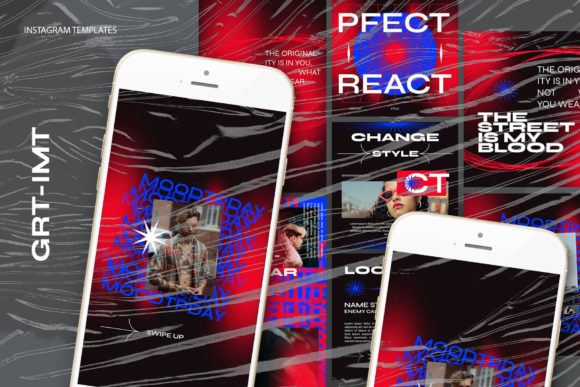
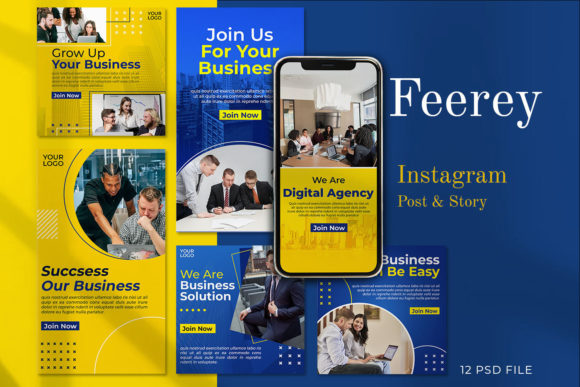
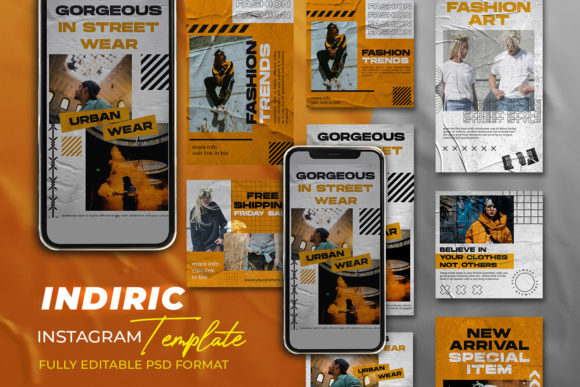
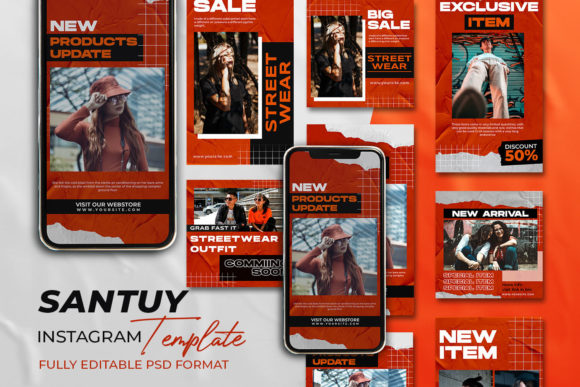
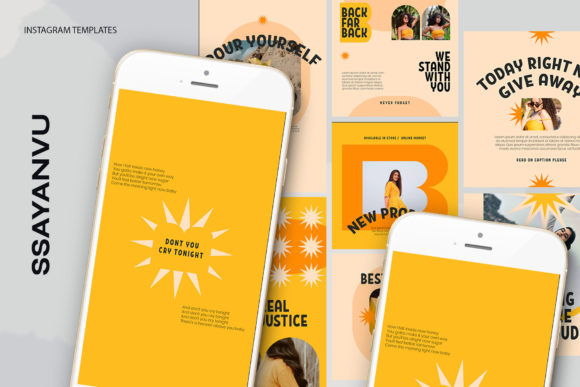
At its core, this collection is a set of professional-grade PSD files designed specifically for the square and landscape formats that dominate social media. Whether you are running a boutique shop, teaching online courses, or building a personal brand as a freelancer, the goal is the same: look polished without spending hours on aesthetics. The beauty of these templates lies in their simplicity. They are not just static images; they are flexible frameworks built to adapt to your specific content needs.
Why Smart Objects Are a Game Changer for Non-Designers
If you have ever tried to edit a complex Photoshop file, you know the frustration of layers being locked, text disappearing behind images, or resolutions dropping when you resize. Ssayanvu Instagram Templates solves this with a feature called Smart Objects. This technical term simply means the template has a dedicated "window" for your photo. You do not need to be a graphic designer to use it.
The process is incredibly straightforward. You open the file, locate the image layer group, and double-click the layer icon. This action opens a separate tab where you simply paste or drag your own photograph. Once you save that file (CTRL + S), your image instantly appears perfectly framed within the main design. There is no cropping guesswork, no resizing distortion, and no messing around with clipping masks. For a busy entrepreneur posting daily product shots or a blogger sharing lifestyle updates, this cuts editing time from twenty minutes down to thirty seconds.
Furthermore, because these files are set to 300 DPI and utilize the RGB color mode, you are guaranteed crisp quality on screens. While 72 DPI was the old standard for web, modern high-resolution displays on smartphones require sharper assets to look professional. These templates ensure your images remain sharp whether viewed on an older iPhone or the latest retina display. The dimensions provided—1200 x 1200 px for posts and 1920 x 1080 px for stories or covers—align perfectly with Instagram's current recommendations, preventing the platform from compressing your work and making it look blurry.
Real-World Scenarios: Who Actually Uses These?
It is easy to talk about features, but let's look at how different people actually integrate these templates into their lives. The utility of Ssayanvu Instagram Templates stretches far beyond just "making pretty pictures."
- The Small Business Owner: Imagine you run a local bakery. Every morning, you bake fresh goods. Instead of taking a photo and posting it raw, you use a template with a clean border and a bold font area. You drop in the photo of the croissants, change the text to "Fresh Out of the Oven," and add your logo. In five minutes, you have a branded asset that builds recognition. Over time, customers start recognizing your specific layout before they even read the caption.
- The Online Educator: Coaches and teachers often need to share quotes, tips, or client testimonials. Text-heavy posts can look messy if the typography is off. These templates come with fully editable text layers. You can click the text tool, type your advice, change the font size, or adjust the color to match your brand palette. This ensures your educational content looks authoritative and easy to read.
- The Freelance Photographer: Paradoxically, photographers often struggle to showcase their own work on social media because they are too busy editing client photos. Using a template allows them to create a consistent "portfolio grid." They can alternate between full-bleed images and framed shots with minimal effort, keeping their feed active while they focus on paid shoots.
- The Event Planner: When promoting a workshop or webinar, you need eye-catching graphics quickly. The 1920 x 1080 px option is perfect for creating teaser visuals that can be used on Instagram Stories, LinkedIn, or even as YouTube thumbnails. The ability to swap images rapidly means you can test different visuals to see which one drives more registrations.
Maximizing Value: What to Consider Before You Start
While the ease of use is a major selling point, getting the most out of Ssayanvu Instagram Templates requires a bit of strategy. First, remember that the model is not included. This is actually a benefit, not a drawback. It means you are not forced to use generic stock photography that everyone else has. You have the freedom to use your own products, your team, or your unique environment. Authenticity drives engagement on Instagram far more than polished stock photos do.
Secondly, consider your brand identity before you begin editing. Since all text is editable, take a moment to define your hex codes (color values) and choose two or three fonts that represent your voice. Stick to these across all your templates. If you use a neon green font on one post and a serif font on the next, your feed will look chaotic. The templates provide the structure, but you provide the consistency.
Another practical consideration is file management. Because these are PSD files, you need access to Adobe Photoshop or a compatible editor like Photopea (which runs in a browser). If you are strictly a Canva user, these files won't work directly, though the superior control over layers and effects in Photoshop often yields a more premium result. For those willing to learn the basic "double-click smart object" workflow, the payoff in quality is significant.
Turning Templates into a Content System
The real power of these templates emerges when you stop treating them as one-off solutions and start treating them as a system. Many successful creators dedicate one hour on Sunday to "batch create" their content for the week. By opening the Ssayanvu files, swapping out seven different images, updating the text for each day, and saving them all at once, you free up mental energy for the rest of the week. You aren't scrambling for ideas on Wednesday afternoon; you already have your visuals ready to go.
This approach also helps maintain morale. When the design process is frictionless, you are more likely to post consistently. Consistency signals to the Instagram algorithm that you are an active creator, which can help your reach. Moreover, having a library of high-quality designs reduces the anxiety of "is this good enough?" You know the layout works because it was designed by professionals; you just need to fill it with your value.
In a digital landscape that moves fast, efficiency is currency. Ssayanvu Instagram Templates offer a bridge between amateur snapshots and professional branding. They respect your time by eliminating repetitive tasks while giving you the creative freedom to showcase what matters most—your content. Whether you are launching a new product, sharing a life update, or educating your audience, having a reliable design foundation allows you to show up as your best self, every single time.