Streamlining Your Feed: A Practical Look at Rtr-Wer Instagram Templates
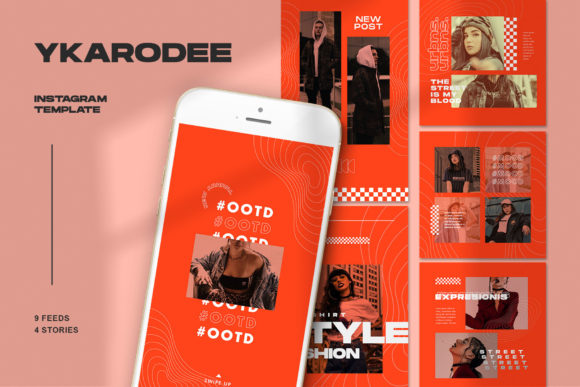
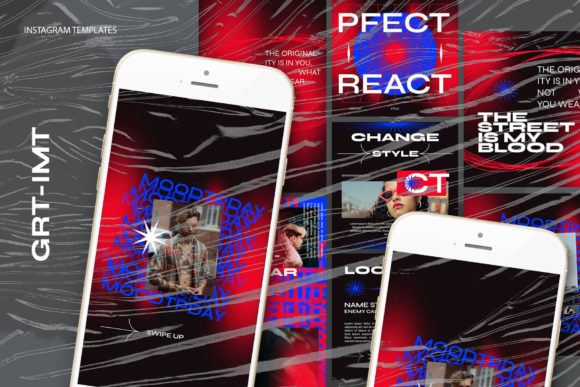
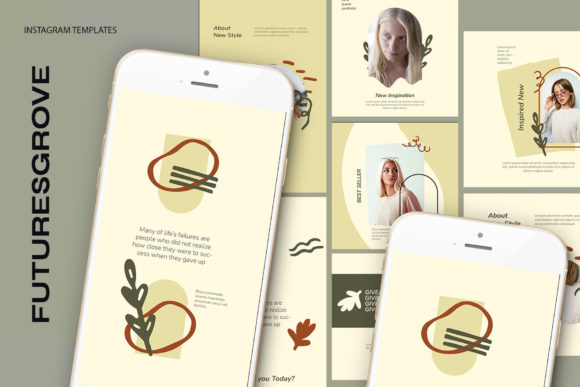
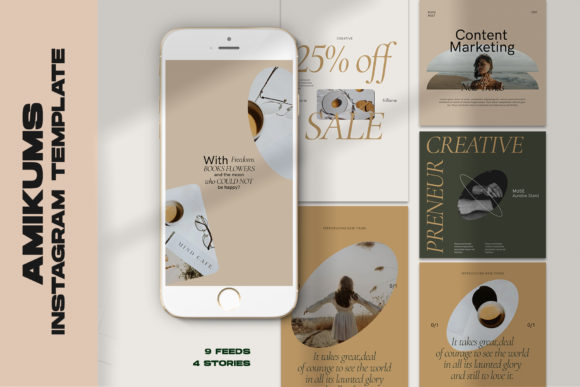
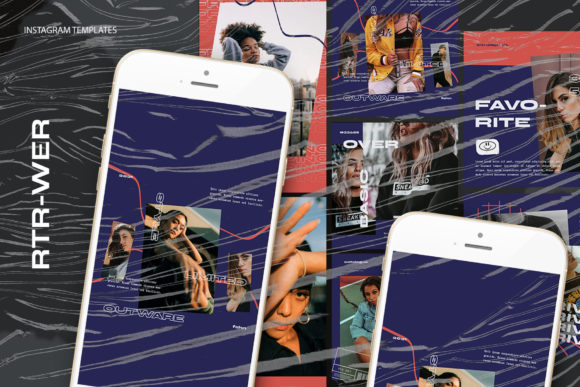
In the fast-paced world of social media marketing, consistency is often the dividing line between a stagnant profile and a thriving community. For professionals, entrepreneurs, and content creators, the pressure to produce high-quality visuals daily can be overwhelming. This is where structured design assets come into play. The Rtr-Wer Instagram Templates collection offers a streamlined approach to visual content creation, specifically designed to bridge the gap between professional aesthetic standards and efficient workflow management. By examining the technical specifications and practical application of these files, we can determine their true value for users ranging from small business owners to seasoned digital marketers.
Technical Foundation and File Architecture
The core utility of any design template lies in its underlying architecture. The Rtr-Wer set is built on a robust foundation using PSD (Photoshop Document) files, ensuring maximum compatibility with industry-standard editing software. One of the most significant advantages of this collection is its adherence to high-resolution standards. Each template is crafted at 300 DPI (dots per inch). While screen display typically requires 72 DPI, designing at 300 DPI ensures that graphics remain crisp and free of pixelation, even when viewed on high-density Retina displays or if the content is repurposed for print materials like flyers or brochures later on.
Furthermore, the color mode is set to RGB, which is the essential standard for all digital screens. This eliminates the common pitfall of color shifting that occurs when converting from CMYK (print) to RGB (digital), ensuring that the brand colors you select on your monitor are exactly what your audience sees on their devices. The templates are available in two primary aspect ratios: 1200 x 1200 pixels for standard square posts and 1920 x 1080 pixels for stories or landscape-oriented content. This flexibility allows creators to maintain a cohesive look across different sections of their Instagram presence without needing to resize or distort elements manually.
The Smart Object Workflow
For many users, the barrier to entry with PSD templates is the perceived complexity of layers and masking. However, the Rtr-Wer Instagram Templates utilize a Smart Object workflow that significantly simplifies the process. This feature is particularly beneficial for freelancers and business owners who may not have advanced Photoshop skills but still require professional results.
The process is intuitive and designed for speed. To insert your own photography or graphics, you simply locate the specific image layer within the file. By double-clicking the layer icon on the image group, a new tab opens containing the placeholder. You then place your desired image into this window, save it (using CTRL+S or Command+S), and return to the main document. The template automatically updates, wrapping your image into the pre-designed frame with all shadows, lighting effects, and perspective adjustments applied instantly. This "double-click, drop, save" method removes the need for manual clipping masks or complex selection tools, reducing the time spent on a single post from minutes to seconds.
Editable Typography and Customization
Beyond imagery, text plays a crucial role in communicating messages, promotions, or educational content. A major strength of the Rtr-Wer collection is that all text is fully editable using the standard text tool. Unlike flattened images where text is part of the background, these layers remain live. This means you can change headlines, adjust body copy, modify font sizes, and alter colors to match your specific brand guidelines without affecting the rest of the design.
This level of customization is vital for maintaining brand identity. Whether you are an educator posting lesson summaries or a retailer announcing a flash sale, the ability to tweak the typography ensures that the template serves your message rather than dictating it. The fonts used are generally selected for readability and modern appeal, but the open structure allows you to swap them out entirely if your brand utilizes a specific typeface.
Practical Applications Across Industries
The versatility of these templates makes them suitable for a wide array of users. For small business owners, time is often the scarcest resource. The ability to batch-create a week's worth of content in a single sitting using the Smart Object workflow can be a game-changer for operational efficiency. Similarly, social media managers handling multiple client accounts can use these templates to ensure a consistent visual language across different campaigns while rapidly swapping out assets for various clients.
Bloggers and influencers will find value in the professional polish these templates provide. In a saturated market, high-quality visuals help establish authority and trust. The 300 DPI resolution ensures that product shots look premium, which is essential for affiliate marketing or sponsored content. Additionally, educators and coaches can use the text-editable features to create quote cards or informational slides that reinforce their expertise without needing to hire a graphic designer for every post.
Evaluating Long-Term Value and Limitations
When assessing the long-term value of the Rtr-Wer Instagram Templates, it is important to consider both their strengths and their limitations. On the positive side, the investment in a high-quality PSD pack pays off through repeated use. Unlike subscription-based design tools that may limit downloads or require ongoing payments, owning these files provides a permanent asset. The consistency they bring to a feed helps in building a recognizable brand identity, which is a key factor in audience retention and growth.
However, prospective users should be aware of certain requirements. First and foremost, you must have access to Adobe Photoshop. These are not Canva templates or drag-and-drop web tools; they require the desktop software to function. For users unwilling to learn the basics of Photoshop or those who rely exclusively on mobile apps, these templates may present a steep learning curve, despite the simplified Smart Object workflow.
Additionally, it is crucial to note that images are not included in the package. The templates provide the framework, but the visual impact ultimately depends on the quality of the photography or graphics you supply. Users will need to source their own high-resolution images or illustrations. While this allows for complete creative freedom, it also means the final output is only as good as the assets you put into it. For those without a library of professional photos, this may necessitate additional time spent on stock photography sites or photoshoots.
Making the Right Choice for Your Workflow
Ultimately, the decision to integrate Rtr-Wer Instagram Templates into your workflow depends on your current needs and technical comfort level. If you prioritize speed, consistency, and professional-grade output, and you already have Photoshop in your toolkit, these templates offer a highly effective solution. They remove the guesswork from layout design, allowing you to focus on strategy and content creation.
For those just starting out, the initial setup might feel slightly intimidating compared to simpler drag-and-drop interfaces. Yet, the skill gained in managing Smart Objects and layers is a valuable asset in itself, opening up further possibilities for custom design work down the line. The balance between ease of use and professional capability makes this collection a solid choice for serious hobbyists and professionals alike who are looking to elevate their Instagram presence without sacrificing hours of their day to design tasks.
In conclusion, the Rtr-Wer Instagram Templates represent a practical investment in your digital branding. By leveraging high-resolution standards, flexible dimensions, and an efficient Smart Object system, they empower users to produce consistent, high-quality content. While they require a specific software environment and user-supplied imagery, the payoff in terms of time saved and visual coherence is substantial for anyone committed to growing their online influence.