Creating Meaningful Tributes: A Guide to 911 Patriot Day Backgrounds and Design Resources
Every September 11th, the United States pauses to honor the memory of those lost in the tragic events of 2001. For designers, educators, small business owners, and community leaders, this day presents a unique challenge: how to create visual content that is respectful, poignant, and visually compelling without crossing the line into insensitivity. This is where high-quality resources like a 911 Patriot Day Background become essential tools. Whether you are designing a poster for a local memorial service, creating a social media graphic for your brand, or assembling a brochure for a veterans' group, the foundation of your design sets the tone for the entire message.
However, navigating the world of digital templates and stock assets can be fraught with pitfalls. Many well-intentioned creators rush to download free files or purchase low-cost bundles without fully evaluating their suitability. The result is often a final product that feels generic, technically flawed, or tonally inappropriate. By understanding the common mistakes associated with selecting and using these design elements, you can ensure your tribute honors the gravity of the occasion while maintaining professional quality.
The Importance of Tone and Visual Accuracy
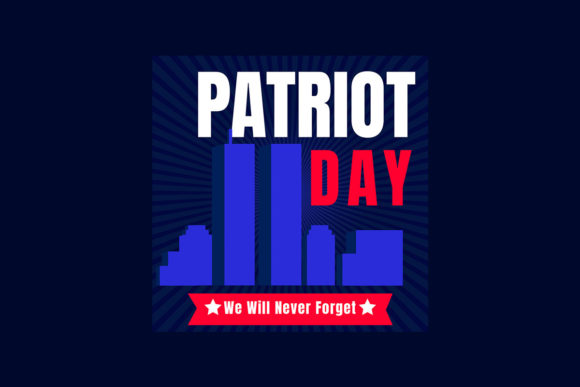
One of the most frequent errors creators make is prioritizing aesthetics over appropriateness. When searching for a Patriot Day USA Poster or Banner, it is tempting to grab the first file that features bold red, white, and blue colors. While patriotism is central to the holiday, the visual language of September 11th requires a more nuanced approach. A design that looks like a festive Fourth of July sale banner is not only ineffective but can be perceived as disrespectful.
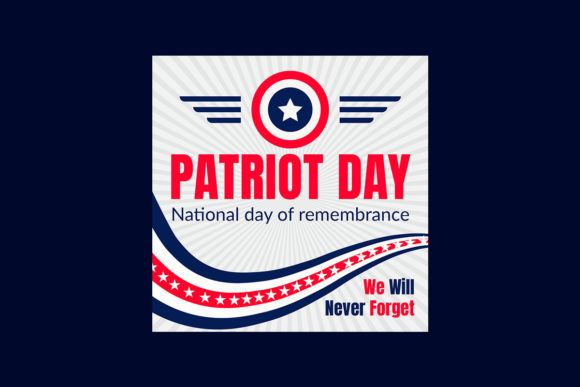
A proper 911 Patriot Day Background should balance patriotic symbols with somber reflection. Look for templates that utilize darker palettes, such as black backgrounds with red and blue accents, rather than bright, celebratory patterns. Realistic elements like ribbons, badges, and abstract American flag textures should be used to evoke dignity, not excitement. If a template feels too "salesy" or cluttered with hype-style graphics, it is likely unsuitable for a memorial context. Always ask yourself: Does this design invite reflection, or does it demand attention?
Technical Pitfalls in File Selection
Beyond the emotional tone, technical specifications are where many beginners stumble. You might find a stunning preview image of a Veterans Day Badge or a National USA Patriot Day United States Holiday Banner Vector, only to discover upon download that the file is unusable for your specific needs. A common misconception is that all "vectors" or "templates" are created equal. In reality, the utility of a file depends entirely on its format and editability.
For instance, if you intend to print a large-format banner for a community event, downloading a low-resolution JPEG or a flattened PDF will result in pixelated, blurry output. Professional results require source files that allow for scaling without quality loss. When evaluating a resource, check specifically for the inclusion of editable formats such as PSD (Photoshop), AI (Illustrator), EPS, and PDF. These formats ensure that you can modify text, adjust colors, and resize elements to fit your exact dimensions.
Another overlooked detail is font licensing. Many templates advertise "Free Font Used," but fail to provide a direct link or clear instructions on how to acquire them. If you open a file and the text appears distorted or replaced with a default system font, your workflow grinds to a halt. Always verify that the help file included with the template provides a direct link to the font repository. This small step saves hours of frustration and ensures your typography matches the designer's original vision.
Customization and Usability Challenges
Even with the right file formats, usability issues can arise if the template is not truly "fully editable." Some creators market files as customizable when, in reality, key elements are grouped, locked, or rasterized. This limits your ability to personalize the message. For example, you may need to change the date, add a specific location for a local ceremony, or include the name of a fallen hero. If the template does not allow for these changes easily, you end up spending more time fighting the software than designing the tribute.
To avoid this, look for resources that explicitly state they include organized layers and smart objects. A well-structured 911 Patriot Day Background template will separate the background texture, the ribbon graphics, the badge elements, and the text fields. This organization allows you to toggle visibility, swap out icons, or adjust the opacity of the abstract American flag background to improve text readability. If a template feels rigid or difficult to navigate, it is often better to seek an alternative that prioritizes user experience.
Ensuring Quality Before Commitment
Before downloading or purchasing any design asset, take a moment to critically evaluate the preview images and description. Are the icons realistic and high-quality, or do they appear clip-art style and dated? Is the color balance consistent? Remember, square size images in a preview gallery may not represent the full aspect ratio you need for a wide banner or a tall brochure. Ensure the provider offers files in various orientations or confirms that the vector nature of the artwork allows for unlimited resizing.
Furthermore, consider the source of the artwork. Reputable designers often include a help file that outlines usage rights, font sources, and contact information for custom requests. If you have specific needs—such as a custom-designed template for a corporate memorial or a school project—do not hesitate to reach out. Many artists are willing to offer bespoke services to ensure the final product meets your exact standards. This collaborative approach often yields better results than trying to force a generic template to work for a specialized purpose.
Best Practices for Final Output
Once you have selected the right 9 11 Usa Never Forget September 11, 2001 themed resource, the final step is execution. Pay close attention to the details. Ensure that your text contrasts sufficiently against the background; white text on a light gray section of an abstract flag may be unreadable. Use the red and blue label features to highlight key dates or quotes, but use them sparingly to maintain a clean, dignified look.
If you are printing physical materials like brochures or posters, always request a proof or print a test copy at home before committing to a large run. Colors on a screen often differ from printed ink, especially with deep blacks and vibrant reds. Digital displays also require optimization; ensure your exported images are sized correctly for web use to avoid slow loading times while maintaining clarity on high-resolution screens.
By approaching the selection and use of a 911 Patriot Day Background with care, technical awareness, and a focus on respect, you can create powerful visuals that honor the past and resonate with your audience. Avoid the rush to grab the first available file. Instead, invest time in finding resources that offer true flexibility, high-quality vectors, and the appropriate emotional weight. Your attention to these details not only improves the quality of your work but also shows a deeper level of respect for the significance of the day.